
Your PC to the big screen.
Supported videos on your PC can be cast to AIX Player’s seven TV families — up to 4K HDR where the source, PC, network and TV support it, with the subtitle you choose shown on the TV. Here is what happens when you press cast, which TVs are supported, and what to do when something misbehaves.
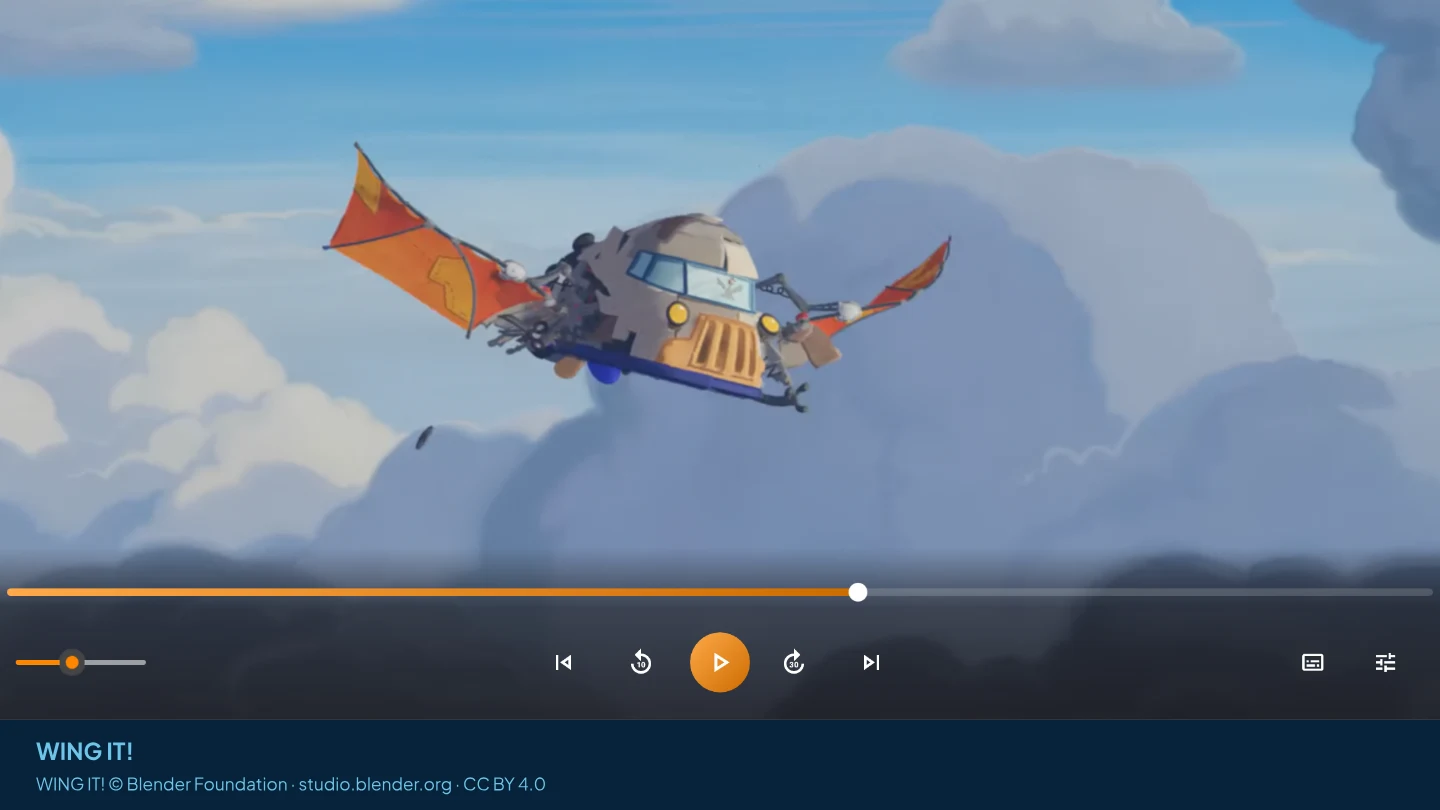
Casting is not screen mirroring.
People use the words interchangeably, but they do very different things — and it is why mirrored video looks soft and stutters while cast video looks like the film.
Your PC captures whatever is on the display, compresses it into a live stream and throws it at the TV. Everything is re-encoded on the way, at whatever quality the connection can carry.
AIX Player hands the television the video itself and lets the TV's own decoder do the work. Nothing is captured from your screen, so no quality is thrown away in the middle.
Screen mirroring is a Windows feature, and the right tool for slides, web pages or anything that is not a video file. Casting vs screen mirroring explains when each one fits.
Press cast, pick the TV, sit down.
Playing supported SDR videos on your PC is free and unlimited. HDR playback is AIX Pro, with a 180-minute trial. Casting is the premium part: 60 free minutes in total, once, which is long enough to try it properly on your own TV, and Pro lifts the limit for unlimited casting to supported TVs. No adverts in either case.
Jellyfin, Emby and Plex videos play on your PC; casting media-server videos is not supported. Network shares (SMB / NAS) can be browsed and played on your PC for free, with no time limit. These casting steps are for supported local files. Read about media servers.
-
Open your video
Open a supported file from your PC’s drive or a USB or SD drive. Choose the soundtrack and the subtitle now: the subtitle you choose shows on the TV.
-
Press the cast button
AIX Player scans the network and lists the supported televisions it finds, by device name and family.
-
Pick it and watch
Select the device to start casting; preparation time depends on the file, PC, network and receiver. Your PC becomes the remote — play, pause, seek, volume and subtitles, all from the AIX Player window.
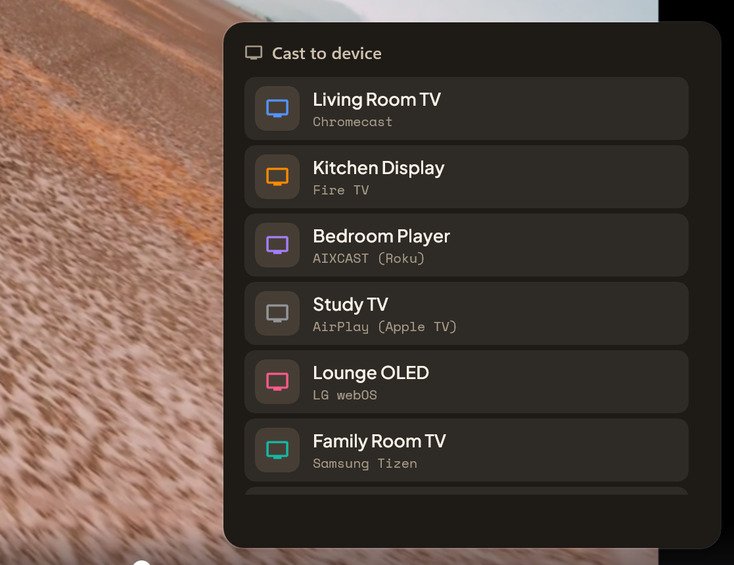
Devices appear on their own. Some sets ask for a one-time approval: a PIN on Fire TV and Apple TV, an on-screen Allow on LG and Samsung, and on Roku the free AIX Casting Receiver channel added once from your Roku account. Film behind the cast list: Charge © Blender Foundation / studio.blender.org, CC BY 4.0.
If it's in your living room, AIX Player can reach it.
Each family uses its own protocol. AIX Player supports the seven families below, so you do not need a separate Windows app for each one.
Chromecast dongles and Google TV or Android TV sets and boxes with Google Cast built in, including Sony Bravia TVs and NVIDIA Shield. This needs no receiver app.
Fire TV, Roku and Apple TV are each paired directly, using their own protocol rather than a generic fallback. Roku plays through the free AIX Casting Receiver channel, added once.
LG webOS and Samsung Tizen sets pair with what is already inside the television. Nothing to buy, nothing to plug in.
The oldest standard in the house, and still the most widely fitted. If a television is a few years old and connected, this is usually how AIX Player reaches it.
Pick a device for its step-by-step guide; each one says what that TV plays directly. No Chromecast? The TV you already own may be enough. Casting an MKV? Cast it as it is, subtitles included.
Subtitles travel with the picture.
This is the part that usually falls apart. A subtitle file sitting next to your video is invisible to the television, because it was never inside the video in the first place.
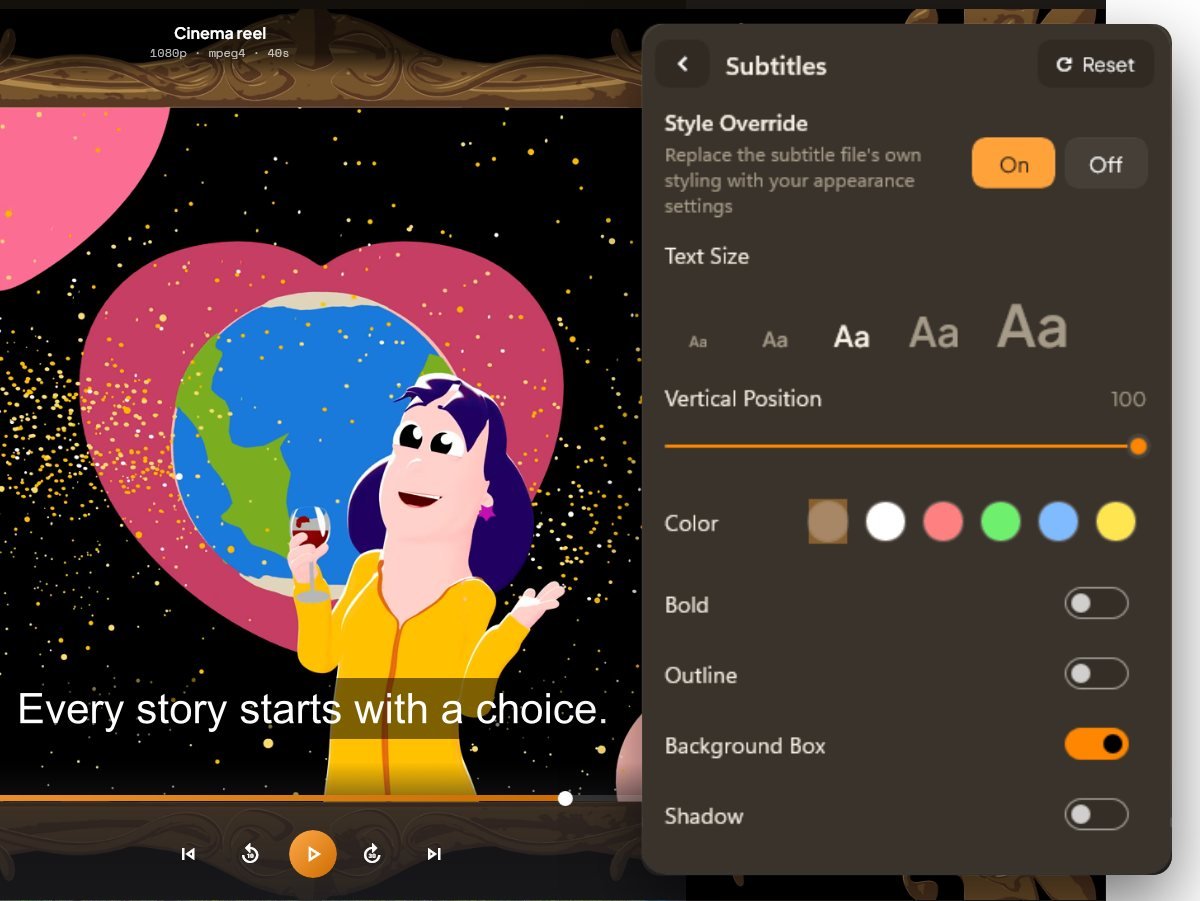
AIX Player takes care of it. Choose a subtitle in the player, a track inside the video or a separate file you added, and that subtitle shows on the TV. You can switch it from the PC while the film plays.
AIX Player converts when needed.
Televisions only understand a short list of video types. Hand one a film with an advanced picture track and a cinema surround soundtrack and it will usually refuse part of it — which is why casting so often ends in a black screen, or a picture with no sound. AIX Player converts only what is needed, frame by frame, while the film plays.
AIX Player asks the television what it can handle before sending anything, rather than starting and hoping.
Often that is just the soundtrack, leaving the picture untouched. Video conversion can use supported Intel, AMD and NVIDIA graphics hardware; on Qualcomm, only H.264 encoding is hardware-assisted. Other stages use the processor. Conversion happens frame by frame while the video streams, and no converted copy is saved to disk.
HDR stays HDR when the TV can play the file directly; otherwise the picture is converted to SDR for the TV. A file the TV plays directly keeps its own soundtrack; every stream AIX Player converts carries AAC sound.
What each TV family plays directly
From AIX Player’s device catalogue (makers’ specifications and our own measurements). Every family in it tops out at 2160p (4K) at 60 frames per second; anything outside a TV’s list is converted while it streams. DLNA televisions vary too much to list and are checked the same way.
| TV family | Video it plays directly | HDR formats listed |
|---|---|---|
| Chromecast, Google TV | H.264, HEVC, VP8, VP9, AV1 | HDR10, HDR10+, HLG, DV HDR |
| Fire TV | H.264, HEVC, VP9, VP8, AV1, MPEG-2 | HDR10, HLG, HDR10+, DV HDR, by model |
| Roku (AIX Casting Receiver) | H.264; HEVC on some models | HDR10, HLG, HDR10+, DV HDR, by model |
| LG webOS | H.264, HEVC, VP8, VP9, MPEG-2, AV1 | HDR10, HLG, by model |
| Samsung Tizen | H.264, HEVC, MPEG-2, VP8, VP9, AV1 | None in the catalogue |
| Apple TV | H.264, HEVC (including 10-bit) | None in the catalogue |
Four things to check first.
Both devices must be on the same network — guest Wi-Fi and split 2.4/5 GHz networks keep them apart, and some routers have client isolation switched on. Check the television is awake, too.
Wi-Fi is nearly always the bottleneck. A wired PC frees the whole wireless channel for the television, which makes a real difference on high-bitrate 4K.
The television rejected the audio track — usually the studio surround mix from a disc rip. AIX Player converts it as it streams; switching to a stereo track in the film may also resolve it.
If Windows goes to sleep, the stream stops with it. On a laptop, plug it in before starting anything feature-length.
More causes, in the order worth checking them: Casting not working? Fix it step by step.
Put tonight's film on the big screen.
Install AIX Player, open a video, press cast. That's the whole setup.
GET IT FROM Microsoft StoreLocal playback is free. The free app includes 60 casting minutes in total—once, not per session—and Pro makes casting unlimited. See current pricing in the Microsoft Store.
Films shown on this page: WING IT!, Glass Half and Charge © Blender Foundation / studio.blender.org, CC BY 4.0. Stills and the AIX Player window are cropped and composited; no endorsement is implied. Sources and licences: third-party notices.